

Blog
The Art of the Invisible Desk: How to Hide Every Cable in 2026

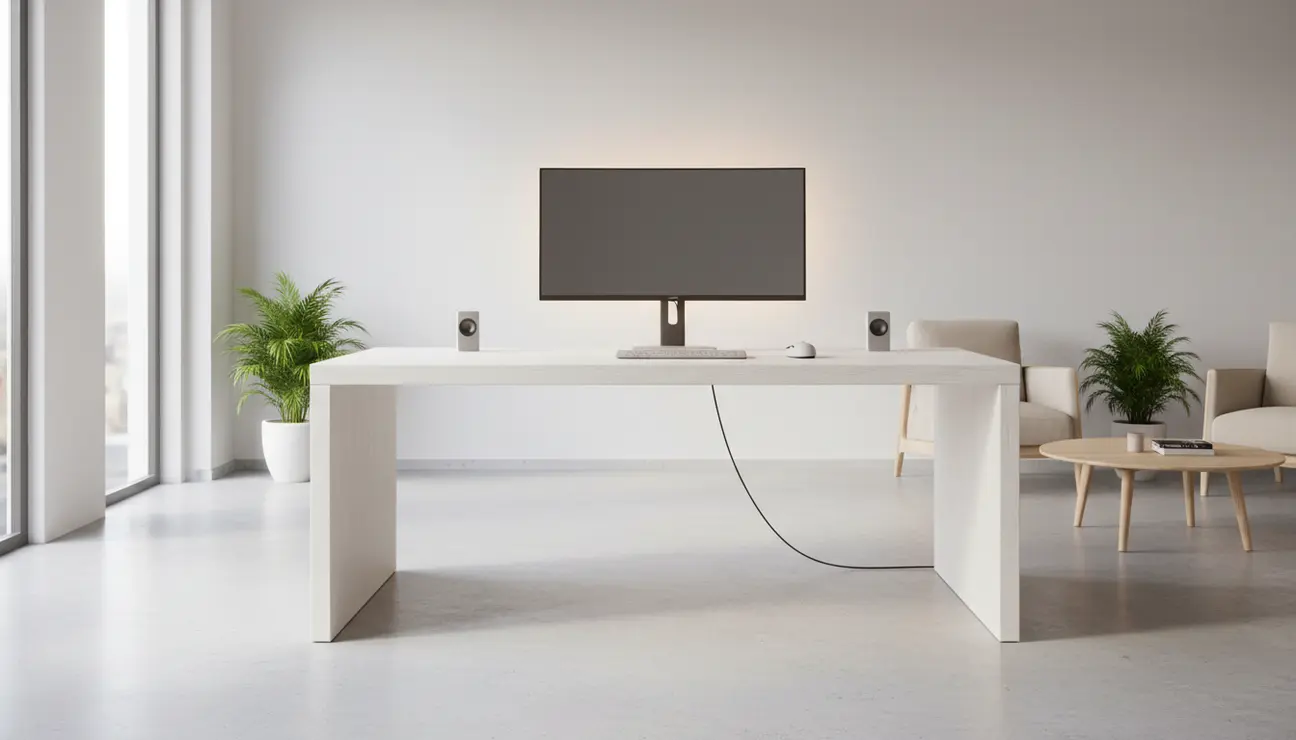
Nothing destroys the aesthetic appeal of a modern workspace faster than a chaotic tangle of wires. We have all seen the aspirational photos of “invisible desks”—those floating slabs of wood or glass where technology seems to operate by magic, completely untethered from the wall. In 2026, achieving this look is no longer just a photographer’s trick involving clever angles and unplugged devices. It is a practical, attainable standard for professionals, gamers, and creatives who understand that a cluttered space often leads to a cluttered mind. The invisible desk is not merely about vanity; it is about reclaiming your mental bandwidth by removing visual noise from your peripheral vision.
Creating a truly cable-free setup requires a shift in perspective. You must stop looking at cables as necessary evils to be ignored and start treating them as infrastructure to be engineered. The goal is to route power and data so seamlessly that the technology appears intrinsic to the furniture itself. Whether you are working with a standing desk that moves throughout the day or a fixed mahogany station, the principles of cable management have evolved. We now have access to better wireless protocols, sleeker mounting hardware, and smarter furniture design that facilitates concealment. This guide will walk you through the methodical process of hiding every single cable, transforming your workstation into a paragon of minimalism.
The Philosophy of the Zero-Cable Setup
Before reaching for zip ties or adhesive clips, it is essential to understand the logic behind the layout. The most common mistake enthusiasts make is attempting to manage cables in situ, while devices are still plugged in and running. This patchwork approach rarely yields permanent results. To build an invisible desk, you must strip the workspace down to its bare essentials. This means unplugging every peripheral, removing the monitors, and pulling the desk away from the wall. You need clear access to the “engine room”—the underside of your desk surface.
The philosophy here is centralization. In a standard, messy setup, cables trail off in every direction: the lamp plugs into the left wall outlet, the PC into the right, and the phone charger into a strip on the floor. In an invisible setup, everything must converge at a single point before leaving the desk. Ideally, only one single cable—the main power cord for your surge protector—should ever touch the ground or be visible running to the wall outlet. Every other wire, from your monitor’s DisplayPort cable to the USB line for your webcam, must be contained entirely within the footprint of the desk itself. By adhering to this “one cable out” rule, you create a floating effect that looks clean from every angle in the room.
Anchoring Power: The Engine Room Strategy
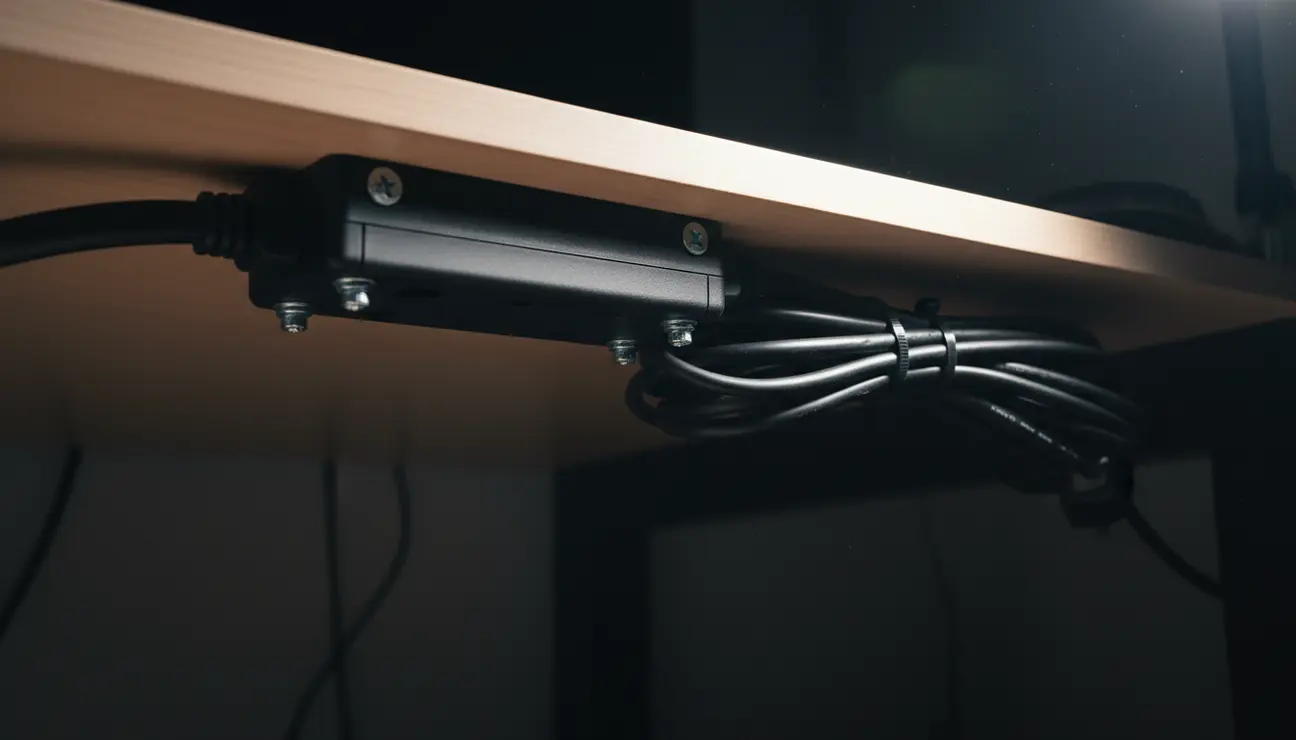
The heart of cable concealment is the power strip or surge protector. If this unit sits on the floor, you have already lost the battle. The first and most critical physical step is mounting your power solution directly to the underside of the desk. In 2026, we have moved beyond simple double-sided tape, which inevitably fails under the heat and weight of modern adaptors. Instead, utilize a dedicated power strip mount or a wire tray that is screwed into the desk material. If you are using a solid wood or composite top, pilot holes and short wood screws provide the most secure anchor.
Once the power strip is mounted efficiently—ideally towards the back center of the desk—you have created a central hub. This allows you to plug in your monitors, computer, sit-stand motor, and lamps directly under the desk surface. The excess length of these power cables can then be bundled and secured tight against the underside, ensuring nothing dangles. For those with glass desks or surfaces that cannot be drilled, heavy-duty industrial velcro or specialized clamp-mount trays are the alternatives. The objective remains the same: lift the power source off the floor. When the desk moves up or down, the power strip moves with it, preventing cables from stretching or snagging.
The Wireless Revolution and Reducing Cable Volume
While physical management is crucial, the most effective way to hide a cable is to eliminate it entirely. By 2026, wireless technology has matured to the point where latency and reliability are rarely issues for general productivity or even casual gaming. Wireless peripherals have become the standard for invisible desks. A high-quality wireless mechanical keyboard and a precision wireless mouse immediately remove two of the most visually distracting wires from the desktop surface. Modern connectivity standards allow these devices to maintain battery life for weeks or even months, negating the need for constant plugged-in charging.
However, “wireless” is often a misnomer; devices still need power. To maintain the illusion of invisibility, consider integrating wireless charging directly into the desk surface. Under-desk wireless chargers can transmit power through an inch of wood or stone, allowing you to charge your phone or earbuds simply by placing them on a specific spot on the desk. This eliminates the need for visible charging pucks and the wires that trail from them. For devices that do require occasional wired connection, use magnetic charging cables or designated “charging drawers” where cables remain hidden when not in use. Reducing the sheer volume of cables required makes the management of the remaining essential wires significantly easier.
Mastering Monitor Cables and Arms
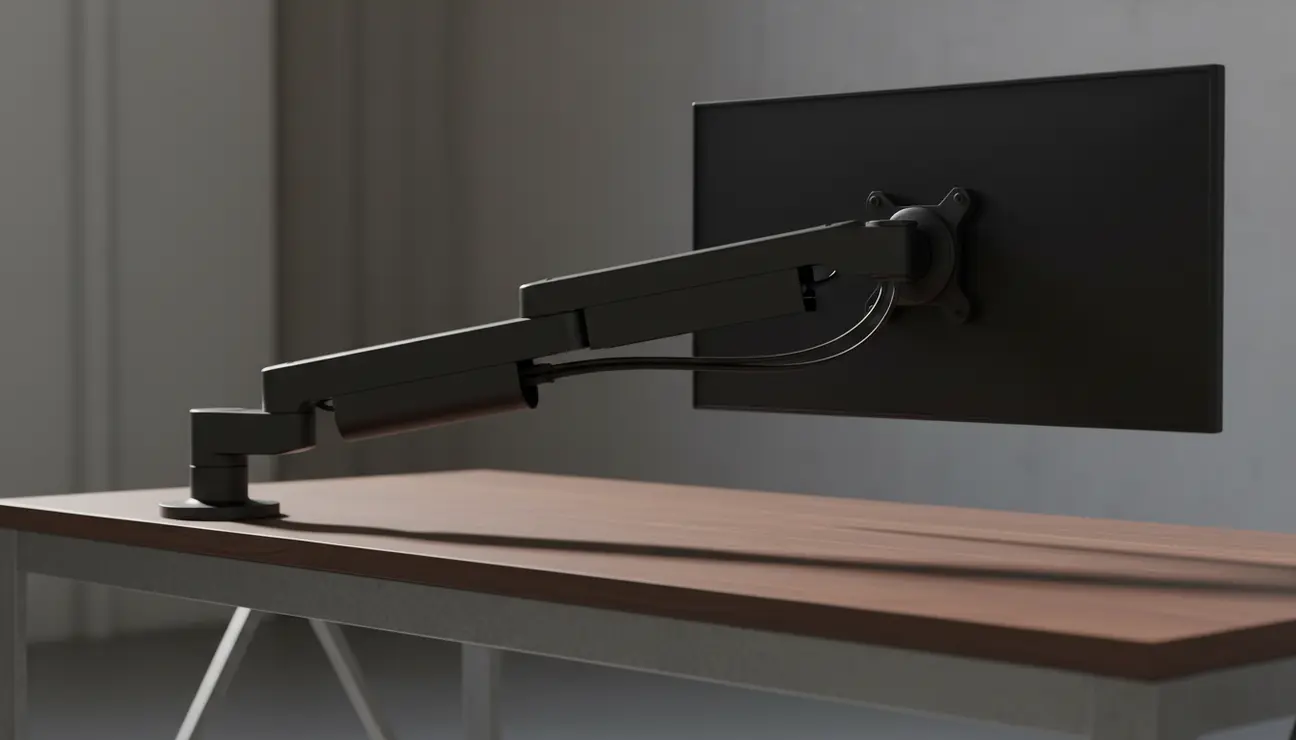
The monitor is usually the focal point of the setup, and consequently, its cables are the most conspicuous. Standard monitor stands are often the enemy of a clean aesthetic; they occupy valuable desk real estate and rarely offer adequate cable routing channels. The solution is a high-quality monitor arm. Whether wall-mounted or clamped to the rear of the desk, an arm lifts the screen, creating negative space underneath that enhances the minimalist vibe.
Most premium monitor arms come with integrated cable management compartments. You should route the display cable (HDMI or DisplayPort) and the monitor’s power cable through these internal channels. Leave just enough slack at the hinges to allow the monitor to pivot and rotate without pulling the wires tight. If your monitor arm lacks internal routing, you can achieve a similar effect by using velcro ties to bind the cables strictly along the back of the metal arm. The goal is to make the cables trace the silhouette of the hardware so they disappear against the structure. Once the cables reach the base of the arm, they should immediately dive under the desk to join your central power hub, never touching the desk surface itself.
Under-Desk Routing: Raceways and Channels
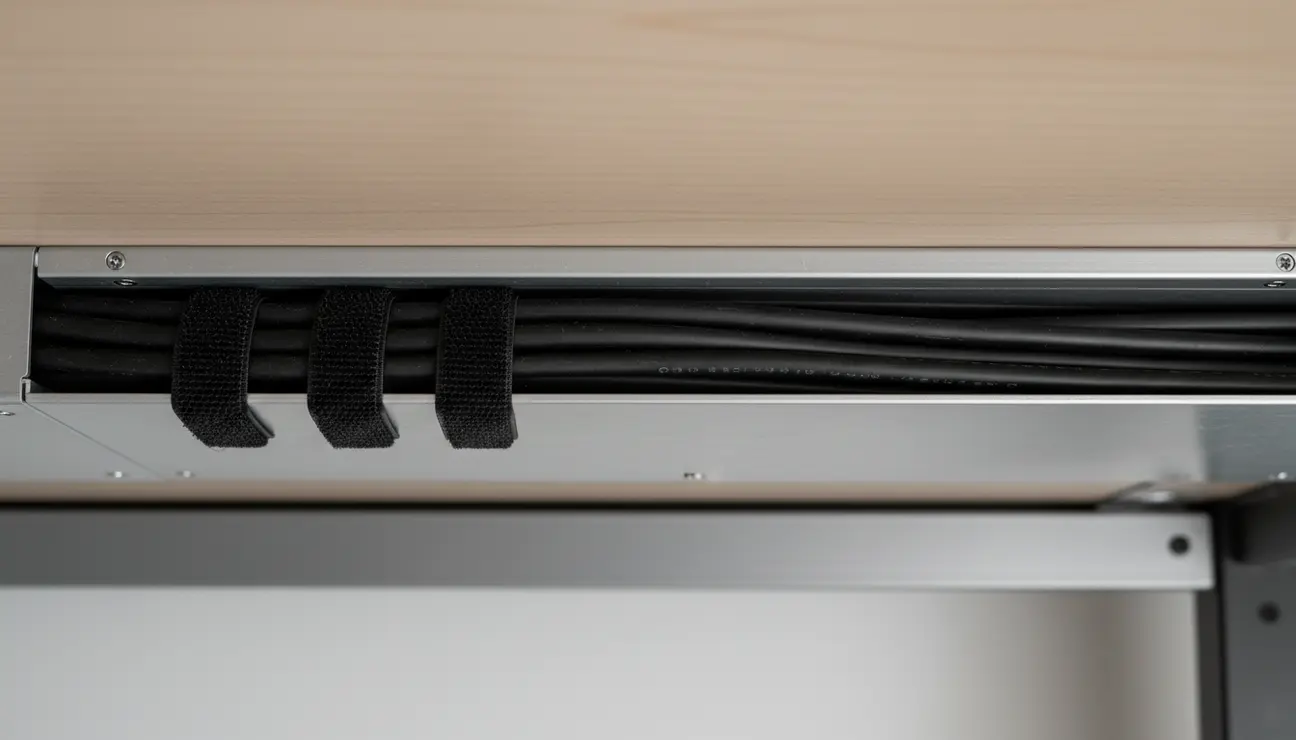
With the power strip mounted and the monitors secured, you are left with the “transit” cables—the wires running from your peripherals to your computer, or from one side of the desk to the other. Letting these drape like vines is not an option. This is where cable raceways and J-channels come into play. A J-channel is a long, hollow plastic track that adheres or screws to the underside or back edge of the desk. It acts as a highway for your wires.
Any cable that needs to travel horizontally should run inside this raceway. For example, if your PC tower is mounted on the right side of the desk but your webcam is on the left, the USB cable should drop behind the monitor, enter the raceway, travel across the length of the desk, and exit right next to the PC. This keeps the underside of the desk looking as clean as the top. For cables that need to cross the center of the desk where your legs might bump them, use adhesive cable clips to pin them tight against the surface. The “invisible” desk must be invisible even when you crawl under it to retrieve a dropped pen. A tidy undercarriage prevents accidental unplugging and makes cleaning the floor beneath the desk effortless.
Managing the PC Tower and External Hardware
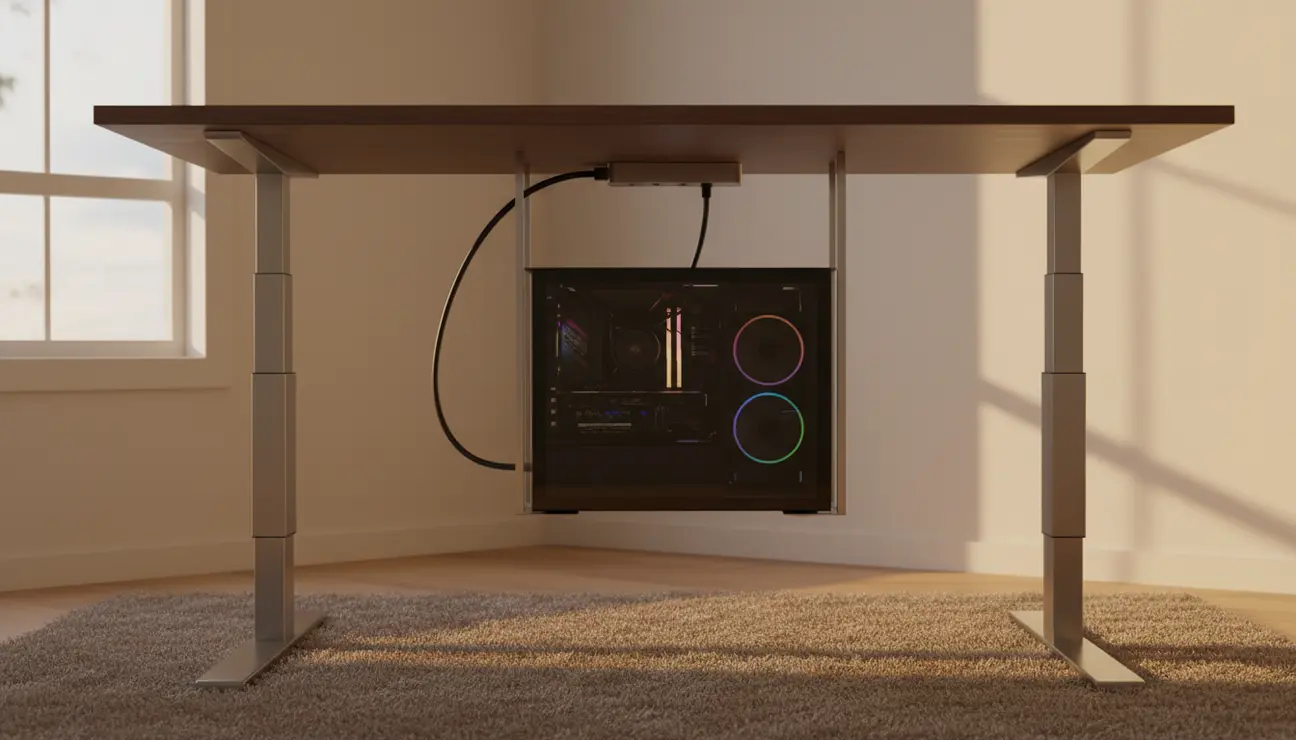
For many power users, the PC tower itself is a massive distinct object that complicates cable management. Placing the tower on the floor introduces a bundle of cables traveling up to the desk, breaking the “one cable” rule. The superior solution for 2026 setups is an under-desk PC mount. This bracket screws into the desktop and suspends the tower in the air. This effectively turns the computer and the desk into a single unit.
When the PC moves with the desk (in the case of standing desks), you no longer need long cables with excessive slack to account for the height change. You can use shorter, custom-length cables that run directly from the PC ports into your cable raceways. If the PC must stay on the floor, or if you are using a laptop, the approach shifts to consolidation. Group all cables exiting the computer using a split-loom cable sleeve or a zippered neoprene sleeve. This turns five or six ugly cords into a single, uniform umbilical cord that looks intentional and tidy. If you use a laptop, consider mounting a docking station under the desk. This allows you to have a single USB-C cable running to your laptop, while all other peripherals—monitor, keyboard, internet—remain permanently plugged into the hidden dock.
The Aesthetic of Connectivity: Sleeves and Coils
Sometimes, a cable cannot be hidden. In the world of high-end mechanical keyboards and audiophile equipment, the cable is occasionally a celebrated part of the aesthetic. If a wire must be seen, make it beautiful. Custom coiled aviator cables for keyboards have become a staple of the invisible desk community. These thick, braided cables are designed to sit neatly on the desk, adding a splash of color or texture that complements the setup rather than detracting from it.
For other visible runs, such as the main power cord leaving the desk to the wall, use high-quality cable sleeves. A white sleeve against a white wall or a black sleeve against a dark wall can help the cable blend into the background. You can also run cables along the back of the desk legs. Many modern desks feature hollow legs specifically for this purpose. If yours does not, simple adhesive clips can pin the main power cable down the back of a leg, making it invisible from the front view. The key is ensuring that lines are straight and angles are 90 degrees where possible; chaotic curves draw the eye, while straight lines suggest order.

Maintenance and Future-Proofing
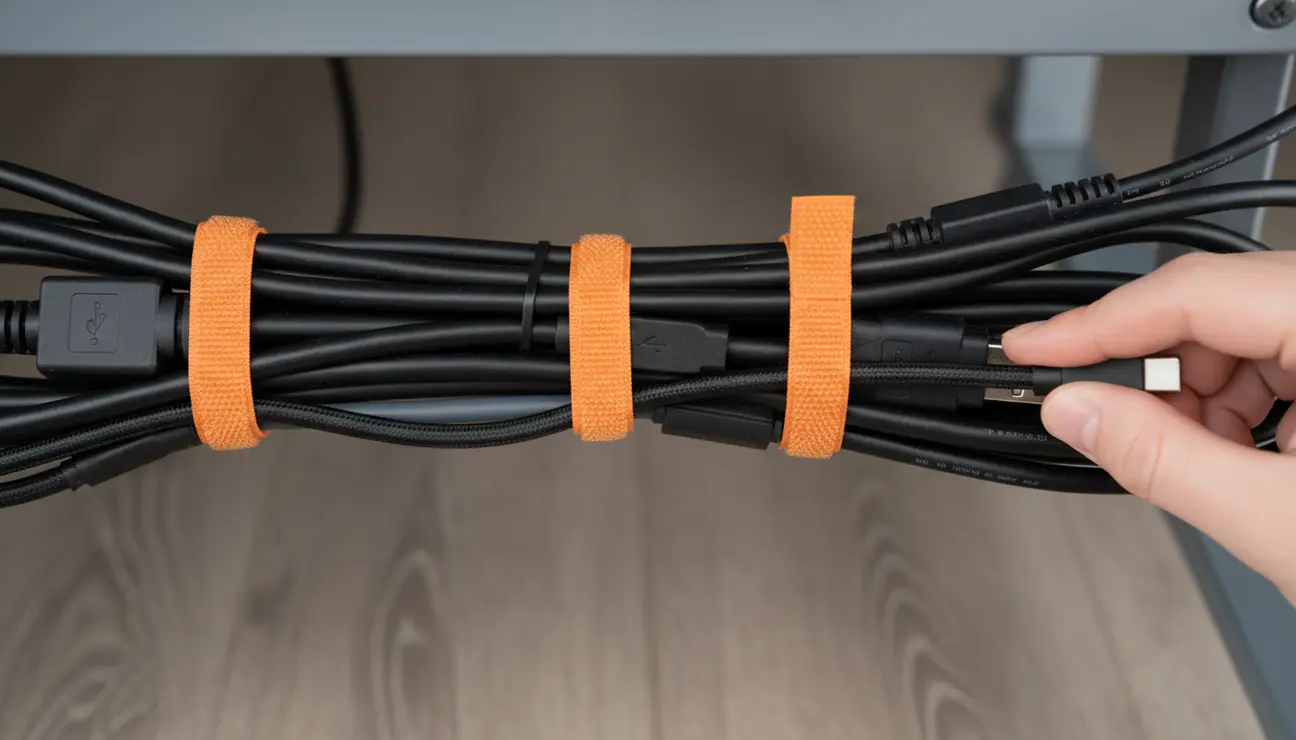
An invisible desk is a dynamic ecosystem. You will eventually upgrade a mouse, swap a monitor, or add a new microphone. If you have used hundreds of single-use plastic zip ties, making a change will be a nightmare involving wire cutters and frustration. This is why reusable velcro straps are the gold standard for long-term cable management. They allow you to add or remove a single wire from a bundle without destroying the entire structure.
When designing your routing paths, always leave a small amount of “service slack” in the hidden raceways. Stretching cables to their absolute limit puts stress on the ports and makes moving equipment impossible. By looping a little extra length inside the J-channel or wire tray, you give yourself the freedom to adjust your monitor position or slide your keyboard forward without yanking the system. Furthermore, label your cables at the plug end. When you are staring at a power strip with eight identical black plugs, knowing which one belongs to the left monitor and which to the right saves immense time during troubleshooting.

The Mental Impact of a Clean Space
The effort required to hide every cable is significant, often taking an entire afternoon or weekend of meticulous planning and execution. However, the payoff extends beyond the visual. There is a psychological weight to visual clutter. Subconsciously, a messy environment signals unfinished business and lack of control. By contrast, sitting down at a desk where the technology serves you without intruding on your space fosters a sense of calm and readiness.
In a professional landscape that is increasingly digital and fast-paced, the physical workspace remains one of the few variables we can control completely. The invisible desk is a statement of intent. It says that you value precision, that you have mastered your tools, and that you are ready to work without distraction. Whether you are coding the next great application, writing a novel, or simply managing the daily influx of emails, the clarity of your desk will reflect in the clarity of your work.
