
Blog
5 L-Shaped Desk Layouts to Reclaim Your Focus in 2026

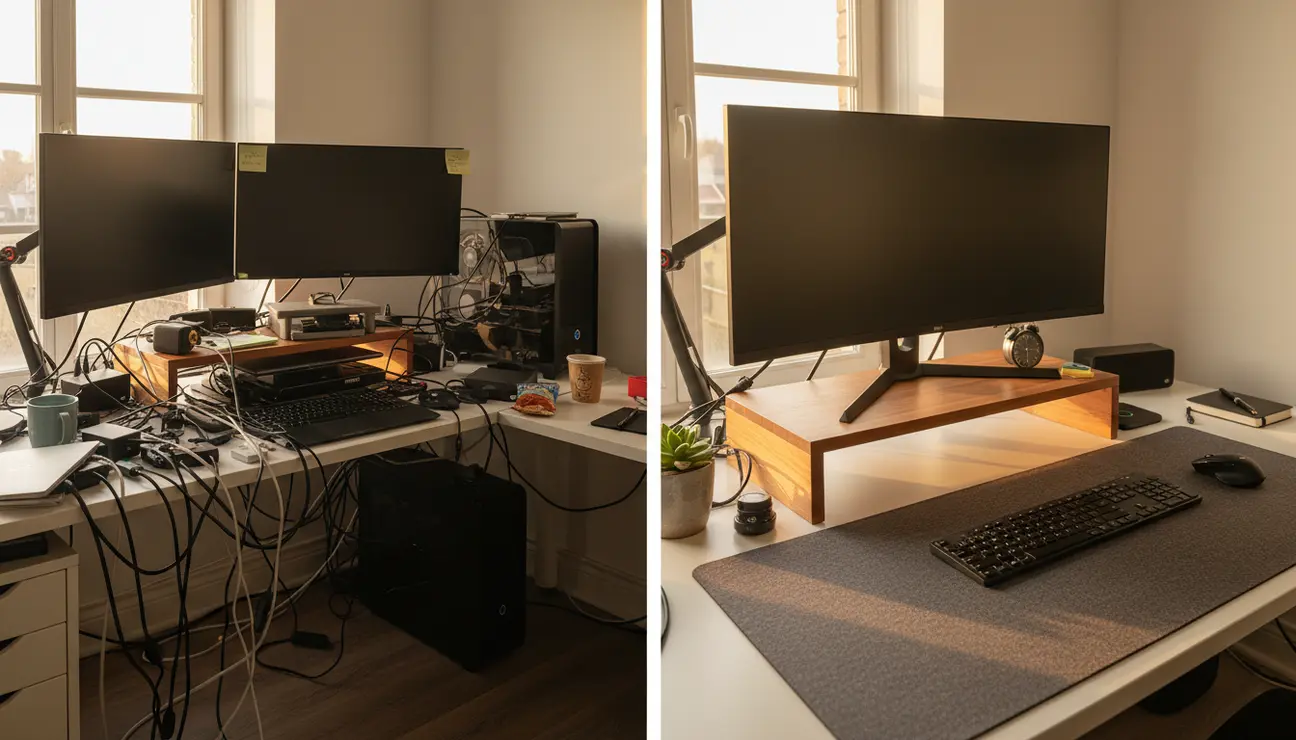
For the remote software engineer, the minimalist professional, or any tech worker, the promise of an L-shaped desk is more space. Yet, without a clear strategy, that space quickly becomes a source of chaos. This guide is for those who believe a well-ordered environment is a prerequisite for high-quality work. If visual clutter disrupts your focus, then mastering your L-shaped desk layout is the first, most critical step to reclaiming your productivity.
Why Your L-Shaped Desk Layout Matters
An L-shaped desk that isn’t deliberately organised invites distraction and fragments focus. The goal is not just more surface area, but the creation of distinct, functional zones. A poorly optimised desk devolves into a graveyard for coffee mugs and tangled cables—physical clutter that maps directly to mental clutter. Each out-of-place item is a tiny, persistent drain on your cognitive resources, pulling you out of a productive flow state.
Your TL;DR Guide to an Optimal L-Shaped Desk
- A poorly optimised L-shaped desk invites distraction. The goal is to create distinct functional zones, not just more surface area for clutter.
- For multi-stream data monitoring, The Command Centre layout offers unparalleled oversight by placing your primary monitor in the corner, flanked by secondary screens.
- For pure, uninterrupted coding sessions, The Deep Work Sanctuary is the objective. It leverages aggressive minimalism and dedicated organisation to eliminate all non-essential cognitive loads.
Ready to Optimize Your Sanctuary?
A dedicated home for every tool eliminates visual noise, clearing your mind for deep work.
Layout 1: The Command Centre
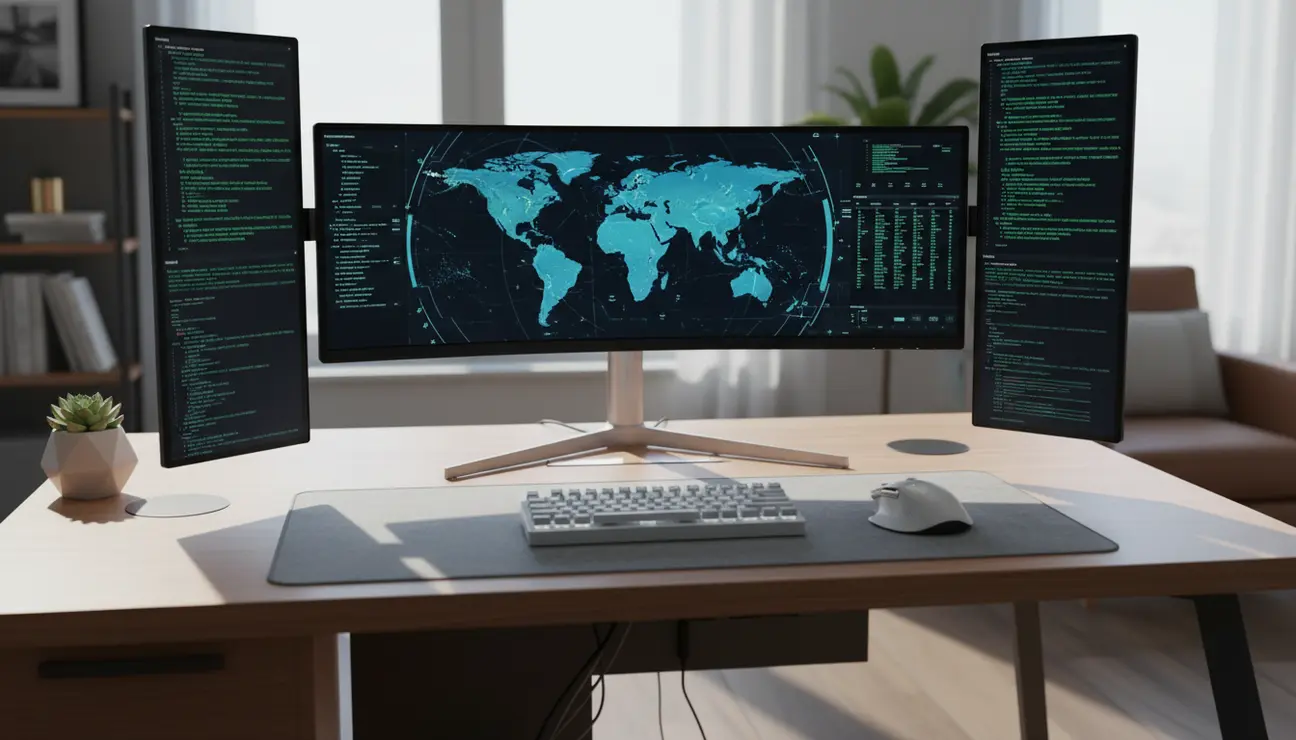
This layout is engineered for maximum information access, solving the chaos of constant window-switching and the poor ergonomics of a scattered monitor setup.
The solution is a logical, ergonomic hierarchy. Your primary, high-resolution monitor is placed directly in the corner angle of the desk. Your head and neck remain in a neutral position, looking straight ahead. Secondary monitors, used for dashboards, logs, or communication clients, are placed on the wings.
- Pros: Excellent for roles requiring constant monitoring of multiple data streams, such as DevOps, finance, or systems administration. Keeps all critical information within your peripheral vision.
- Cons: The sheer volume of information can become overwhelming if not managed with discipline. It risks becoming a source of distraction itself.
> Pro Tip: For a more seamless field of view, consider replacing two secondary monitors with a single, ultra-wide display. This eliminates the central bezel gap, creating a more immersive and less fragmented visual experience.
Layout 2: The Dual-Mode Split
This configuration establishes a hard boundary between your professional and personal life, tackling the chaos of work bleeding into personal time.
The methodology is simple: one wing of the desk is dedicated strictly to professional tasks. This is where the company laptop, primary monitors, and work peripherals reside. The other wing is reserved for personal projects, hobbies, or simply being a clear, non-work surface.
- Pros: Creates a powerful psychological separation between ‘work mode’ and ‘personal mode’, making it easier to disconnect at the end of the day.
- Cons: Requires strict discipline. The temptation to let work items drift into the personal zone (or vice-versa) is constant.
> Pro Tip: Use different lighting for each zone. A cool, bright light (4000K-5000K) for the ‘work’ wing and a warmer, softer light (2700K-3000K) for the ‘personal’ wing can physically signal a shift in mindset.
Layout 3: The Deep Work Sanctuary
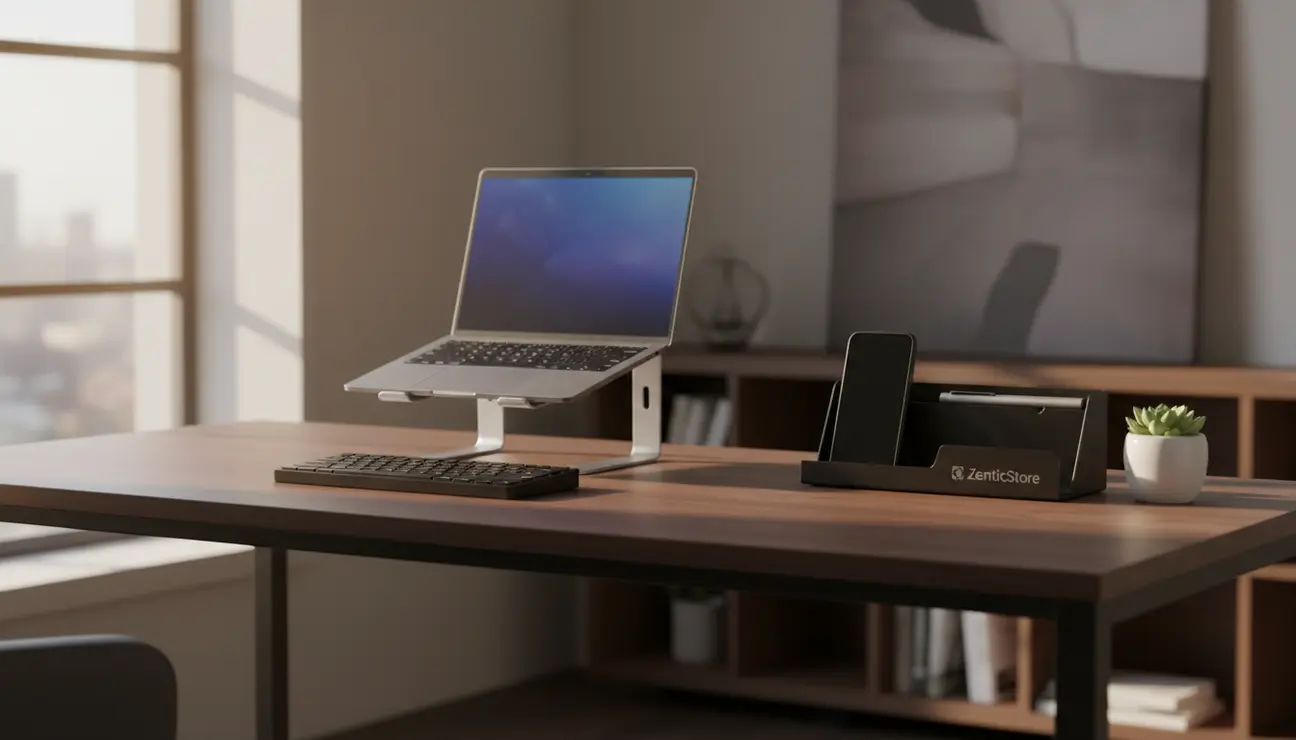
This layout addresses the primary chaos of the modern professional: a desk that offers endless opportunities for distraction, pulling you from the coveted ‘flow state’. The objective here is ruthless, single-tasking focus.
This state is impossible without meticulous, foundational organisation. The ‘Zen’ of this setup is achieved by removing every single item from the desk that is not essential to the immediate task. This is where the Zentic Desk Organiser System becomes the architectural foundation of the workspace.
Its modular components create a designated, high-quality home for every potential distraction. Your phone rests in the solid, angled cradle. Your keys and wallet disappear into the felt-lined tray. Your pen clicks satisfyingly into its weighted holder. By systematically removing this visual noise from your main workspace, you eliminate the cognitive threads they represent. The desk becomes a clear canvas for your most demanding work.
- Pros: Delivers an unparalleled environment for deep, focused work and coding. Drastically reduces context-switching.
- Cons: Less suitable for workflows that demand heavy, simultaneous multitasking across different tools.
> The goal isn’t just a clean desk; it’s a clear mind. Every item removed from your line of sight is one less cognitive thread to manage.
Layout 4: The Analogue-Digital Hybrid
This layout is for the creator who still relies on pen and paper to think. It solves the chaos of trying to sketch system architecture or mind-map a feature on a tiny notepad wedged next to a keyboard.
The execution is a clear division of mediums. One wing of the desk serves as the digital hub, housing your monitors, keyboard, and mouse. The entire other wing is kept completely clear, reserved for analogue tasks: a large-format notebook, technical drawings, or reviewing physical documents.
- Pros: Actively encourages necessary screen breaks and facilitates different modes of thinking. The physical act of turning to a new space can trigger creative problem-solving.
- Cons: Sacrifices a significant amount of digital real estate, which may not be feasible for all workflows.
> Pro Tip: Schedule ‘analogue-only’ blocks in your calendar. When the time arrives, physically move your chair to the analogue wing of your desk. This commits you to the task and helps combat digital fatigue.
Layout 5: The Vertical Power Stack
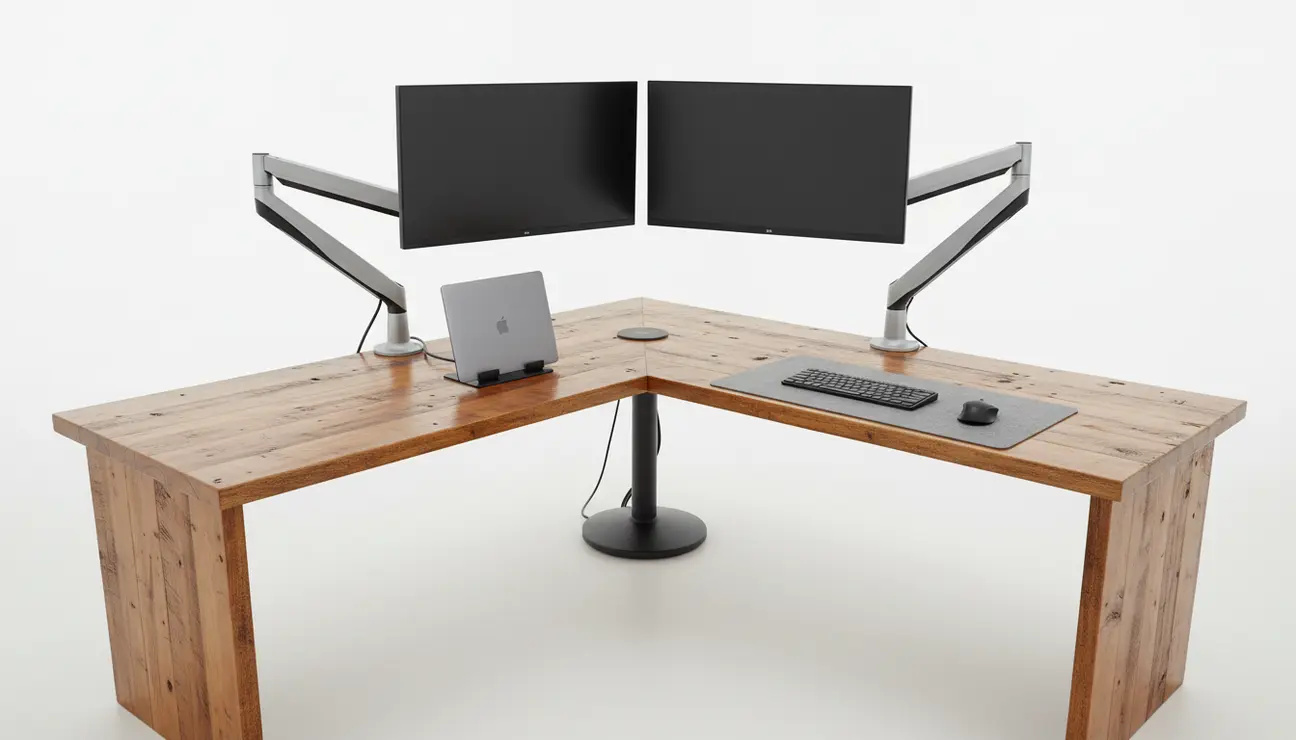
This layout tackles the problem of horizontal spread. The chaos here isn’t just clutter, but the inefficient use of the Z-axis. By going vertical, you reclaim your entire desk surface for the task at hand.
The core principle is elevation. Monitors are mounted on high-quality, adjustable arms, freeing up the space beneath them. The laptop lives in a vertical stand, closed and docked. Peripherals like audio interfaces or hubs are mounted on a small shelf or beneath the desk. The result is a floating, hyper-minimalist setup.
- Pros: Maximises usable desk surface, creating an incredibly open and focused workspace. Superb for cleaning and cable management.
- Cons: Requires investment in quality mounting hardware. Accessing ports on elevated devices can be slightly less convenient.
Your optimal L-shaped desk layout is a direct response to your primary bottleneck.
- If your core function involves monitoring multiple, real-time data streams, begin with The Command Centre. Its efficiency in displaying information is unmatched.
- If your greatest challenge is finding long, uninterrupted blocks for pure coding or writing, then The Deep Work Sanctuary is your only logical starting point. Build it around the Zentic Desk Organiser System as a non-negotiable foundation.
- If work-life separation is your main concern, implement The Dual-Mode Split immediately. The psychological benefits of a physical boundary are significant.
- If your process involves both deep digital work and expansive analogue thinking, The Analogue-Digital Hybrid will provide the structured space you need for both.
Frequently Asked Questions (FAQ)
How do I properly manage cables on an L-shaped desk to achieve a minimalist look?
Effective cable management is non-negotiable. Start with an under-desk cable raceway or tray to serve as the main highway for power and data cables. Bundle cables running from the desk to the wall within a fabric cable sleeve for a single, clean aesthetic. Use adhesive cable clips to guide individual peripheral cables (mouse, keyboard) to be invisible from your seated position.
What is the most ergonomic placement for dual monitors on a corner desk?
To minimise neck strain, place your primary monitor directly in front of you, centred in the corner, so your neck is in a neutral position. Your secondary monitor should be placed immediately to the left or right, angled slightly inwards. The top of both screens should be at or just below eye level. The goal is to turn your eyes to view the secondary screen, not your entire head.
Is an L-shaped desk better than a straight one for a developer’s productivity?
It depends entirely on your work style and discipline. A straight desk enforces a more constrained, and therefore often more focused, workspace. An L-shaped desk offers superior potential for ‘zoning’—separating tasks and tools physically. However, without a deliberate layout strategy like the ones above, its extra space becomes a liability, collecting clutter and fostering distraction.
Eliminate Chaos. Engineer Your Focus.
Your optimal layout is the foundation. Complete your setup with minimalist gear designed to enhance productivity and maintain order.
