
Blog
Declutter Your Digital Workspace: The 2026 Guide to Right-Angle USB-C Cables

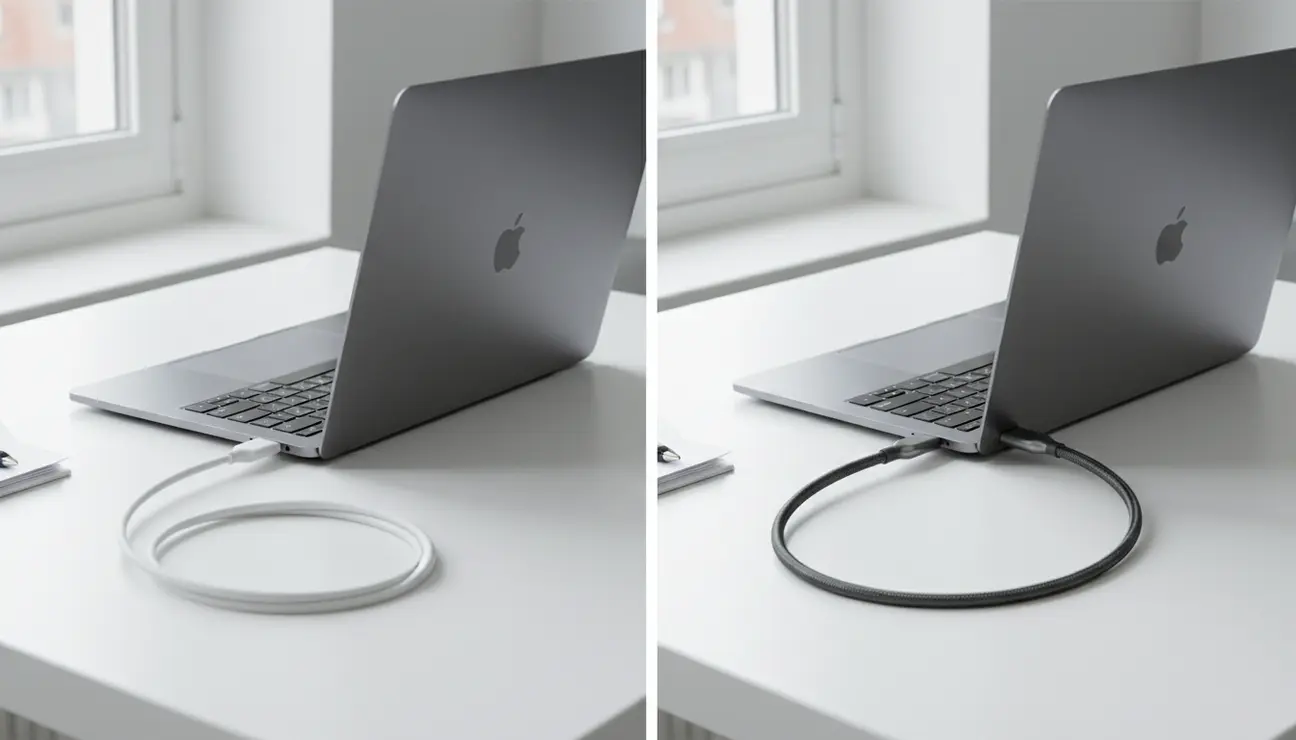
- A standard cable can create awkward loops, but a right angle usb c connection offers a flush, clean fit, optimising space for a minimalist setup.
- Right-angle connectors offer a flush, clean fit, optimising space and cable routing for a professional workspace.
- This guide details the hidden productivity costs of cable chaos and presents the most logical, engineered solutions.
That Stiff, Awkward Cable: The Silent Focus Killer
Consider the image of two workspaces. On one side, chaos: a standard USB-C cable juts out from a laptop, its rigid connection pushing the device away from the wall, creating a stressed, untidy loop of wire. On the other, calm: a right-angle cable sits perfectly flush, its line clean and unobtrusive.
This is more than an aesthetic preference. The frustration of a protruding cable—that small gap you can’t close, that “visual snag” your eye keeps catching—is a silent killer of focus. It’s a minor, persistent annoyance that disrupts a clean workflow and prevents the state of deep work we all strive for.
Is This Guide for You?
This guide is for the professional who understands that their physical environment directly impacts their digital output. It is for remote workers, software engineers, and digital creators who believe in a ‘clean code, clean desk’ philosophy.
If you are someone who optimises every component of your workflow, from the software you use to the hardware you touch, you are in the right place. This is about removing unnecessary friction from your workspace.
The Hidden Cost of Cable Clutter
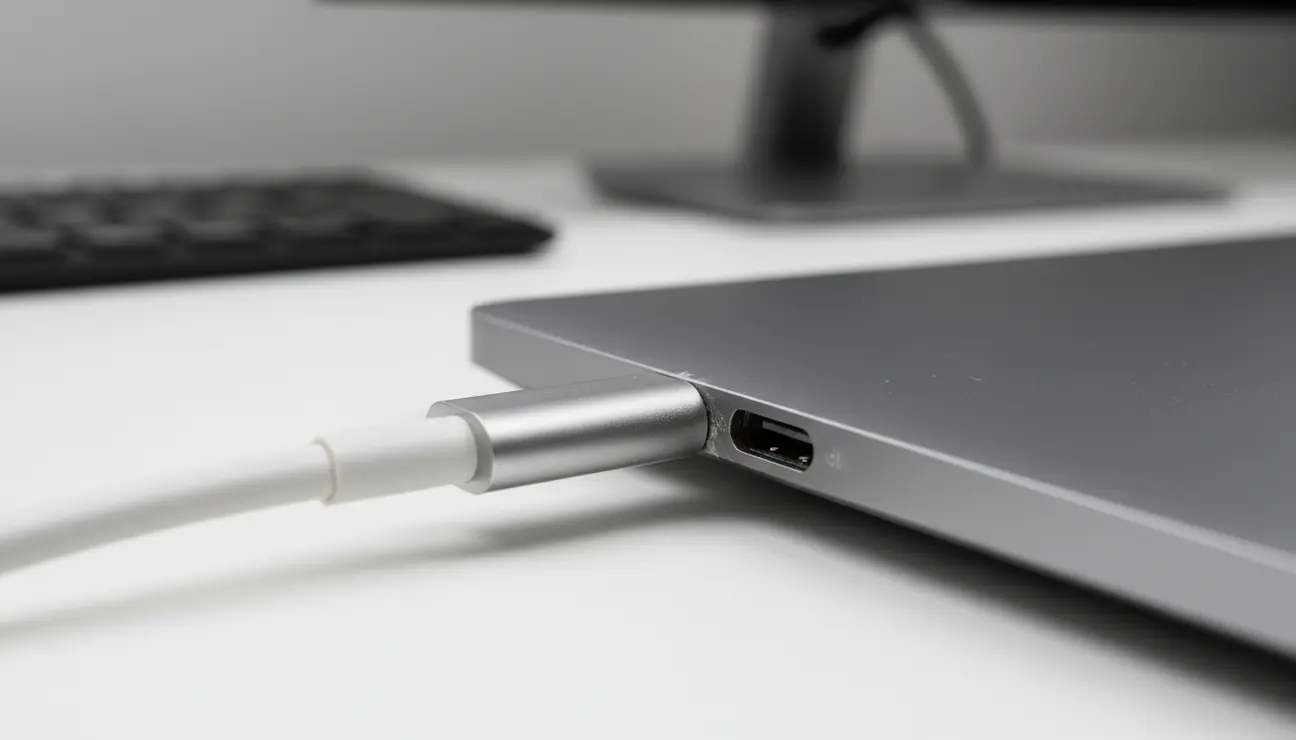
The problem with a messy cable isn’t just that it looks untidy. It’s about the cognitive load it creates—a low-level, persistent distraction that your brain must constantly process and ignore. This saps finite mental energy that could be better spent on complex tasks.
Then there is the physical cost. An awkwardly angled straight cable exerts constant leveraged pressure on your device’s expensive, integrated USB-C port. Over time, this strain can lead to connection issues or outright port failure. In engineering terms, it’s an inefficiency in the system—a hardware bug in your physical workspace that needs to be patched.
> Pro Tip: A well-organised workspace isn’t about appearing tidy. It’s about designing an environment with the least possible friction between you and your work.
Mindful Solutions to Reclaim Your Space
To address this, we must look at a logical progression of solutions, moving from temporary fixes to a permanent, engineered resolution.
Solution 1: Basic Cable Management
Adhesive clips, velcro ties, and braided sleeves are a valid first step. They are excellent for routing cables behind a desk or along a monitor arm, taming the “spaghetti” of wires far away from your immediate workspace.
However, they fail to solve the core problem: the awkward, inefficient exit point of the cable from the device itself. A clip cannot change the fact that the cable still sticks out by several centimetres, preventing a flush placement against a wall or stand.
Solution 2: The Right-Angle Adapter
The next logical step is a small, 90-degree adapter. These small connectors plug into
Ready to Eliminate Chaos?
Beyond just cables, discover our complete solutions for a streamlined, clutter-free desk.
your device, creating a right-angle port into which you can plug your existing cable.
This can work. The pros are its small size and compatibility with cables you already own. The cons, however, are significant for a professional. An adapter introduces another physical point of failure and potential signal degradation. It can also be bulky, defeating the minimalist goal it was meant to achieve.
The Ultimate Fix: The Integrated Right Angle USB C Cable
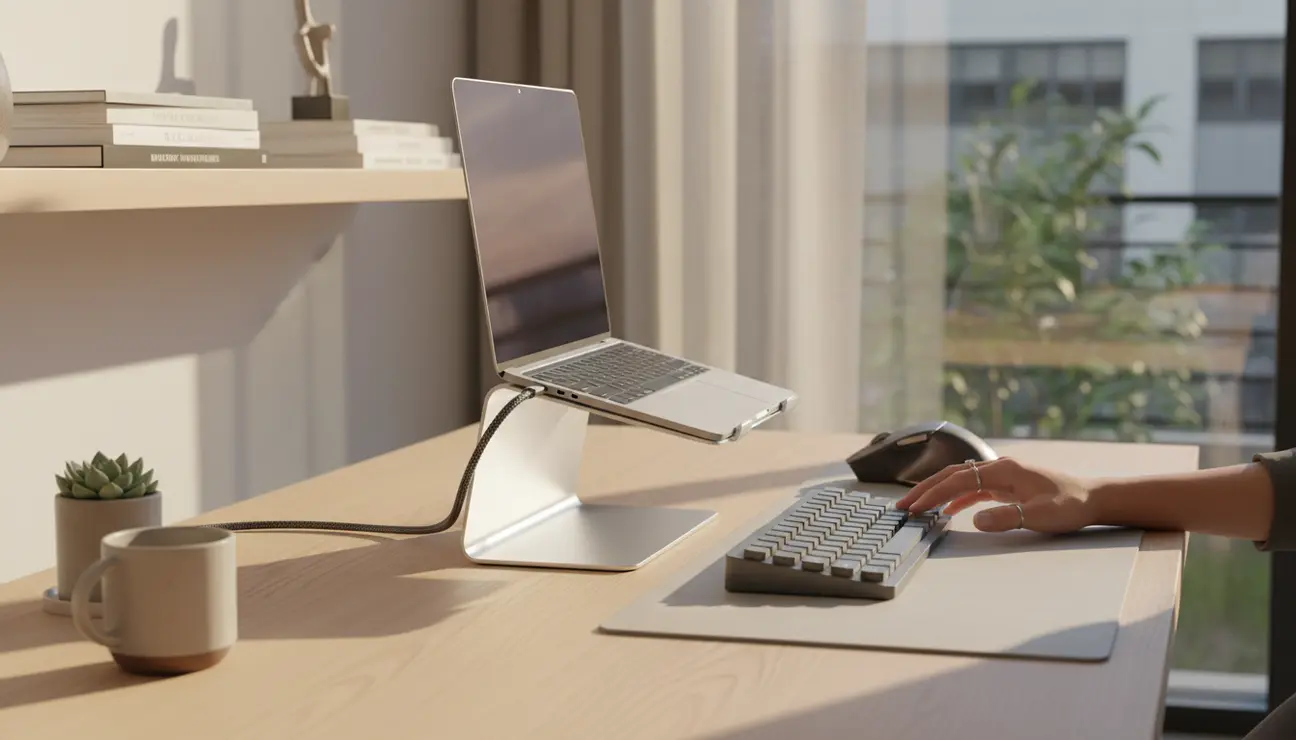
The definitive solution is one that is engineered from the ground up to solve the problem. It removes variables and failure points, providing a single, reliable component designed for this specific purpose.
This is the principle behind the Zentic FlowCable Pro. It is not an accessory, but an essential upgrade for an optimised workspace. It integrates the 90-degree connection directly into the cable, providing a clean, flush fit that reduces physical strain on your device’s USB-C port. The form factor allows for tighter desk arrangements and cleaner lines, while the premium, non-tangle braided material ensures longevity and ease of use.
- Data Transfer: Up to 10Gbps for rapid file access.
- Power Delivery: 100W capacity, suitable for high-performance laptops.
- Length: 150 cm of durable, flexible braided nylon.
- Price: €35
The Zentic FlowCable Pro is the engineered answer. It is a one-component solution that solves the issue at its source.
Choosing Your Calm
The choice comes down to a question of efficiency and reliability. Basic management tidies the path but not the source. An adapter introduces a variable, a potential point of signal loss or failure.
For the creator or developer who values uptime, data integrity, and a seamless workflow, an integrated right angle usb c cable like the Zentic FlowCable Pro is the superior long-term investment in productivity and peace of mind. It removes the variable entirely.
Your Two-Minute Action Plan
1. Audit Your Workspace: Identify the one or two primary cables causing the most clutter or port strain.
2. Measure the Path: Determine the required length in cm to ensure a perfect fit without unnecessary slack.
3. Upgrade the Component: Replace the standard cable with an integrated right-angle solution for a permanent, clutter-free setup.
Frequently Asked Questions (FAQ)
1. Will a right angle usb c cable affect charging speed or data transfer rates?
No. A well-engineered cable, such as one built to USB 3.2 or Thunderbolt specifications, maintains full performance. The connector’s shape does not impact the internal wiring responsible for power and data transmission.
2. Are 90-degree USB-C connectors durable enough for daily laptop use?
Yes. In many cases, they are more durable. The integrated design reduces the leverage effect that a straight connector experiences when bumped. This puts less mechanical stress on both the cable’s connector and the device’s port, contributing to a longer lifespan.
3. How do I know which direction the right-angle cable should face for my device?
Observe the orientation of the USB-C port on your device. The connector is typically D-shaped. Note whether the flat edge faces up or down. Our cables are designed with this in mind, allowing you to choose a configuration that routes the cable cleanly upwards, downwards, or sideways for a perfectly flush fit against your device.
Optimize Your Workspace
From high-performance cables to essential care kits, find the final pieces to perfect your setup.
