
Blog
Small Desk, Big Focus: 10 Essential Organisation Hacks for 2026

How to Organise a Small Desk
- Prioritise vertical space with monitor risers and wall-mounted organisers to draw clutter upwards.
- Implement a unified cable management system to eliminate the visual noise of tangled wires.
- Use modular organisers for essentials, keeping the main desk surface clear for the task at hand.
Why Small Desk Organization Matters
Consider the image of two desks. On the left, a scene of digital chaos: tangled cables spilling onto the floor, papers encroaching on mouse space, and devices competing for territory. This isn’t just mess; it’s a source of constant, low-level cognitive drain that fragments attention.
Every time you hunt for a rogue charging cable or shift a notebook to make space, your focus breaks. Now, picture the desk on the right: the same space, transformed into an environment of calm and order. This guide is the bridge from the former to the latter.
This guide is for the remote professional, developer, or creative who understands that their physical environment directly impacts their digital output. If you’re looking to minimise distractions and build a workspace that promotes deep work, you’re in the right place.
5 Essential Organisation Hacks
1. The Ergonomic Monitor Riser
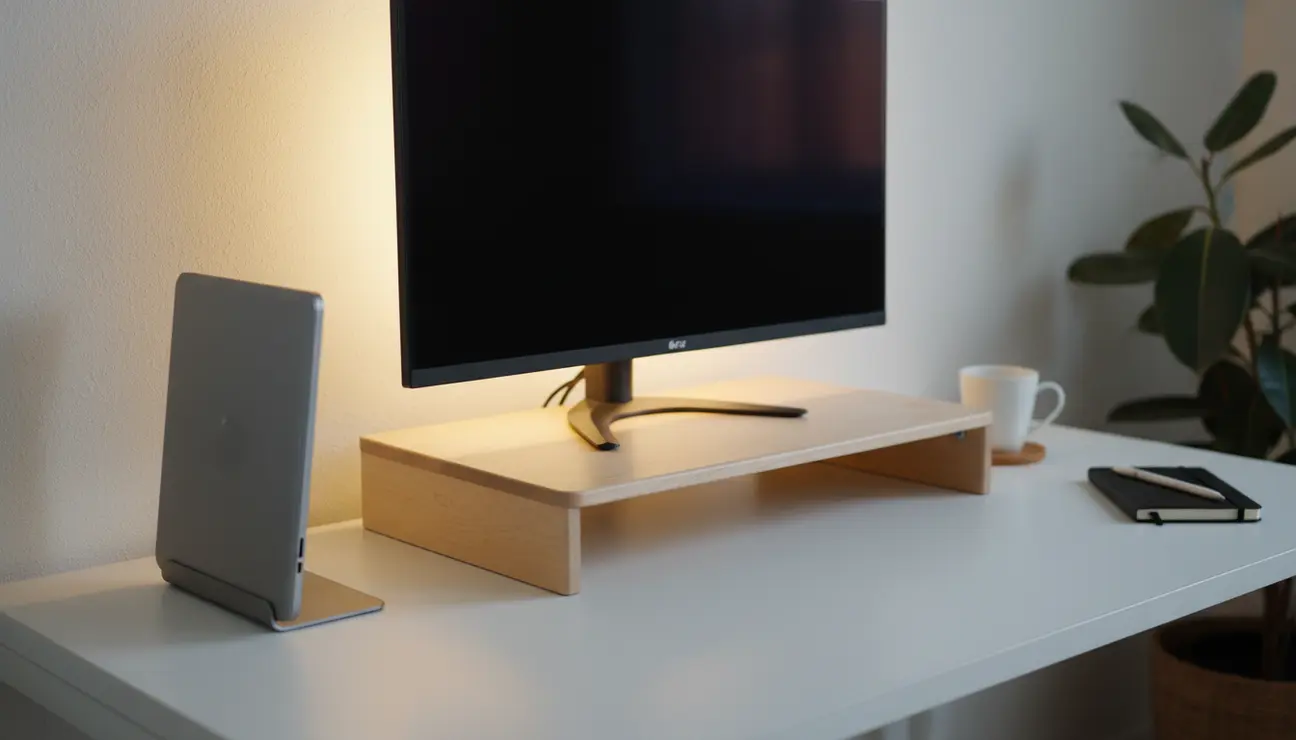
A monitor sitting flat on a desk forces your posture into a downward slump, causing neck strain over long sessions. This setup also wastes the valuable area directly underneath the screen.
Elevating your monitor to eye-level immediately corrects your posture, reducing physical stress. This simple change creates a new storage tier—a ‘desk shelf’—perfect for sliding your keyboard away or storing a notebook, instantly clearing your primary work surface.
- Pros: Improves ergonomics, Creates usable space.
- Cons: Can raise screen too high for some setups.
> Pro Tip: Choose a riser made from natural materials like birch. The tactile feel offers a subtle break from the coldness of tech.
2. The Vertical Laptop Stand
Even when used as a secondary machine connected to an external monitor, a laptop consumes a significant footprint on a compact desk.
A Vertical Laptop Stand reclaims that entire footprint. It holds the laptop in a secure, upright position, turning it into a discreet monolith beside your monitor. This orientation also dramatically improves airflow, allowing the machine to run cooler and quieter.
- Pros: Massively saves space, Improves laptop cooling.
- Cons: Requires external keyboard and mouse.
> A closed laptop is a commitment to single-tasking on your main display. It’s a physical signal to your brain to focus.
3. The Magnetic Cable Management System
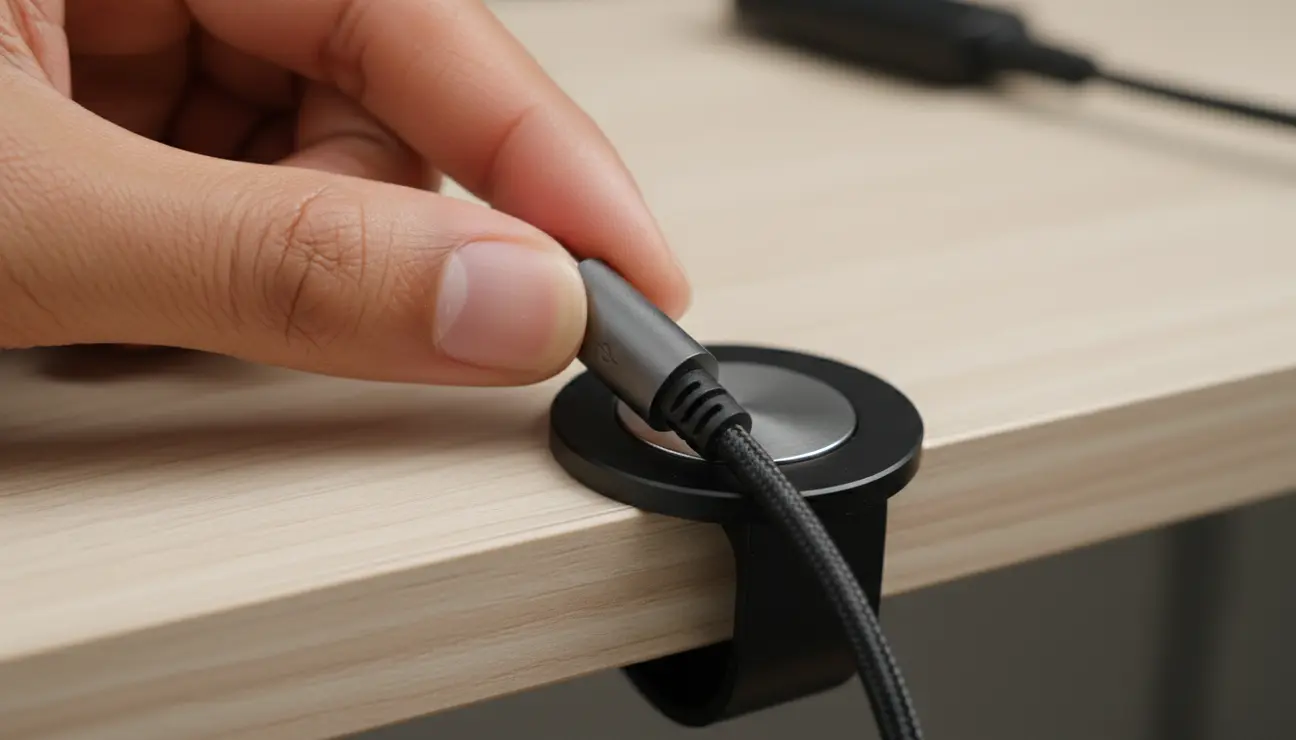
The universal enemy of a clean workspace: ‘cable spaghetti’. The constant crawl under the desk to retrieve a fallen charging cable or the visual distraction of tangled wires behind your monitor.
The Zentic MagTidy Cable Organiser anchors your essential cables directly where you need them. Small, powerful magnetic mounts secure your cables to the edge of your desk or monitor. The satisfying, quiet ‘click’ as the magnet engages is the sound of order being restored. Cables are always within reach but never in the way.
- Pros: Eliminates cable clutter, Keeps essential cables accessible.
- Cons: Initial setup requires thoughtful placement.
> Your workspace should serve you. Securing your cables is a one-time task that pays back hours in saved frustration.
4. The Wall-Mounted Pegboard Organiser
Essential tools like headphones, notebooks, and specific adapters have no designated home, forcing them to take up valuable desk surface.
A pegboard utilises the most neglected area in any office: vertical wall space. It transforms the wall behind your desk into a fully customisable command centre. Arrange hooks and small shelves to hold everything you need, clearing your desk entirely of non-essential items.
- Pros: Utilises vertical wall space, Infinitely customisable.
- Cons: Requires drilling into the wall.
> Arrange your pegboard based on frequency of use. Keep most-used items within immediate arm’s reach to optimise workflow.
5. The Minimalist Desk Tray
Pens, keys, USB sticks, and loose adapters scattered across the desk. Each item is a point of visual distraction, creating a sense of disarray that competes for your attention.
A single, elegant tray provides a home for these small essentials. The act of placing items in a designated container is a powerful ritual. It contains the visual noise and promotes the habit of returning things to their proper place, maintaining order effortlessly.
- Pros: Contains small-item clutter, Promotes tidiness.
- Cons: Can take up valuable surface area.
> Apply the ‘one-in, one-out’ rule to your desk tray. If you add a new pen, an old one must go. This maintains equilibrium.
Eliminate Digital Chaos?
A unified system is the foundation of a minimalist, distraction-free workspace.
Your First Step to a Calmer Workspace
To reclaim your focus, you must first solve your biggest bottleneck. If tangled wires and searching for the right connector is your primary source of daily frustration, start with the Zentic MagTidy Cable Organiser. It offers the highest return on investment for mental clarity.
If physical surface area is your main constraint, the Ergonomic Monitor Riser is your best first move. The goal of effective small desk organization is to make one change that provides immediate, tangible relief.
Small Desk Organization: FAQ
How do I deal with chargers and power bricks?
Use under-desk cable trays or adhesive mounts. The objective is to get all power adapters off the floor and out of sight. This creates a clean, uninterrupted visual line from your desk to the floor, significantly reducing perceived clutter.
What’s the best way to organise papers on a small desk?
Go digital wherever possible. For the few physical documents that remain, use a single vertical file holder. Horizontal trays are an invitation for papers to stack up and create a new source of clutter.
Is a minimalist desk really better for productivity?
Yes. Studies on cognitive load show that visual clutter in your immediate environment competes for your attention, even subconsciously. This reduces the mental resources available for deep work. A clear space fosters a clear mind.
Ready to Optimize Your Setup?
Discover curated essentials designed to optimize your space and eliminate distractions for good.
