
Blog
The 4 Standing Desk Essentials for a Clutter-Free Workspace in 2026

The Core Standing Desk Essentials
- The primary obstacle to deep focus is the cognitive load created by visual and cable clutter.
- To achieve true focus, you need the right standing desk essentials. The two non-negotiable solutions are an under-desk cable management tray and a single monitor arm, which work together to create a clean, floating aesthetic.
From Digital Chaos to Deep Focus
Observe the desk on the left of our image. It is a portrait of digital chaos—a chaotic nest of wires, a monitor perched precariously on books, a workspace drowning in its own function. Now, observe the desk on the right. That is a tool for deep focus.
For the creator or developer, a workspace is a direct reflection of the mind. A cluttered desk leads to cluttered code, fragmented thoughts, and a constant, low-level hum of distraction. Every tangled cable is an unresolved problem your brain logs, subtly pulling you out of your flow state.
Is This Guide for You?
This guide is engineered for the remote professional, the developer, or the minimalist who understands that their workspace is a high-performance tool. We believe a clean setup leads to clean code and clear thinking.
If you are ready to move past the distraction of RGB fluff and focus on high-impact, low-clutter essentials that serve a single purpose—to protect your focus—then you are in the right place. We are here to curate the calm.
Ready to Optimize Your Setup?
From cable trays to monitor arms, find the tools to create a streamlined, high-performance workspace.
Essential 1: The Under-Desk Cable Organiser
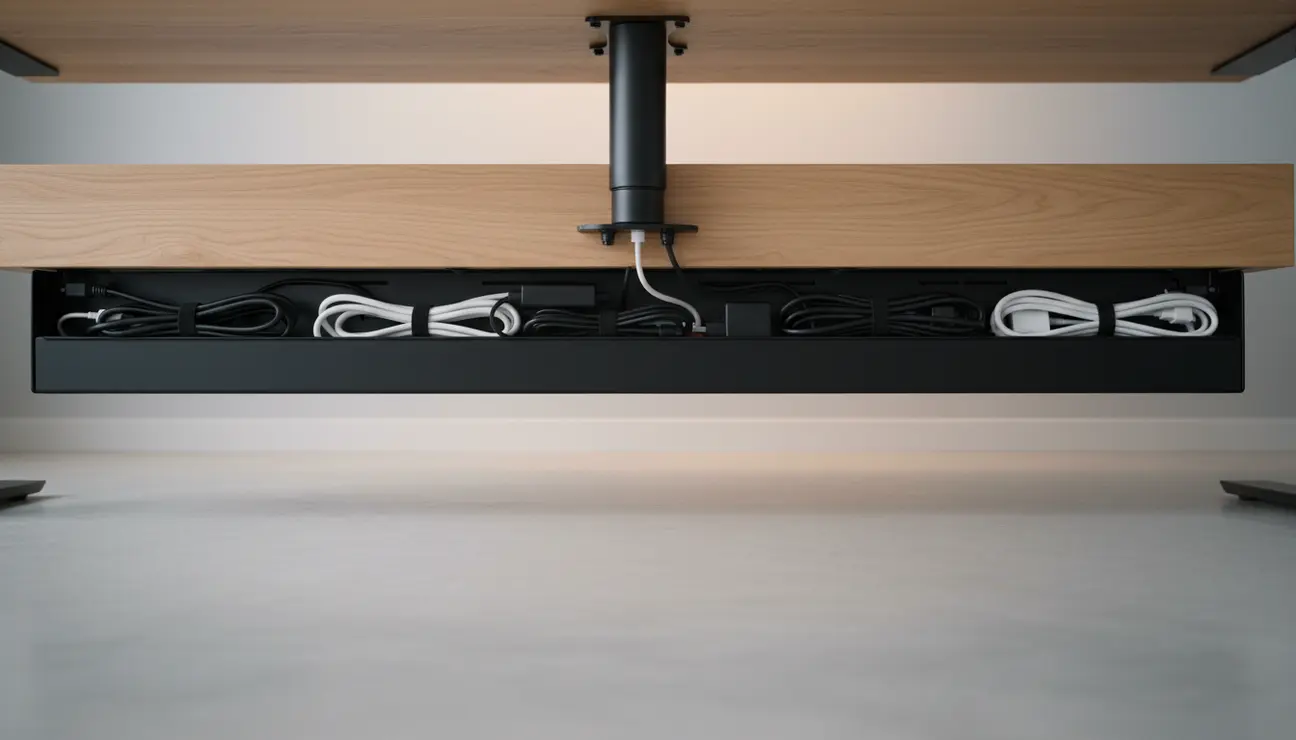
The constant visual distraction of “cable spaghetti” hanging beneath your desk is more than just untidy. It’s the snagged feet, the collected dust, and the persistent mental itch of a problem you have yet to solve.
An under-desk tray creates a “visual floor” under your desk, making every power brick and cable disappear completely. The return on mental clarity is immediate and profound, creating a foundation of order for your entire workspace.
The Zentic Cable Management Tray, with its minimalist powder-coated steel design and easy-clamp system, is the hero solution here. Its 400 mm length and 100 mm depth is engineered to house multiple power bricks and excess wiring with calm efficiency. It’s designed not just to hide cables, but to architect a foundation of order.
- Pros: Instant declutter, protects cables from accidental damage and strain.
- Cons: Requires a single, one-time installation.
> Pro Tip: Run all cables at 90-degree angles within the tray. This small act of precision reinforces a structured and organised mindset for your work.
Essential 2: The Single Monitor Arm
The clunky, space-wasting monitor stand that ships with your screen dictates your posture and steals valuable desk real estate. It is a static, immovable object in a dynamic workspace.
Imagine a screen that appears to float exactly where you need it. This is the core benefit of a monitor arm. It reclaims the surface area beneath your screen and allows for precise ergonomic alignment, reducing neck and shoulder strain during long sessions.
- Pros: Frees up desk real estate, vastly improves posture and ergonomics.
- Cons: You must check your monitor’s VESA compatibility before purchasing.
> Mindful Observation: Reclaiming the space under your monitor opens up your primary focal zone, reducing the feeling of being crowded by your tech.
Essential 3: The Minimalist Anti-Fatigue Mat
Standing on a hard floor for hours creates physical fatigue in the feet, knees, and lower back. This subtle, creeping discomfort is a silent killer of the flow state, pulling your attention away from your work.
A high-density foam mat provides supportive cushioning that encourages imperceptible micro-movements in your leg muscles. This improves blood flow, reduces joint pressure, and significantly extends the time you can stand comfortably, transforming your standing periods into sessions of sustained focus.
- Pros: Reduces leg and back fatigue, encourages longer and more active standing periods.
- Cons: Can be a trip hazard if not placed correctly within your immediate standing zone.
> Data Point: A comfortable standing posture can improve sustained concentration. This isn’t just about physical comfort; it’s a direct input to cognitive performance.
Essential 4: The Desk Shelf Organiser
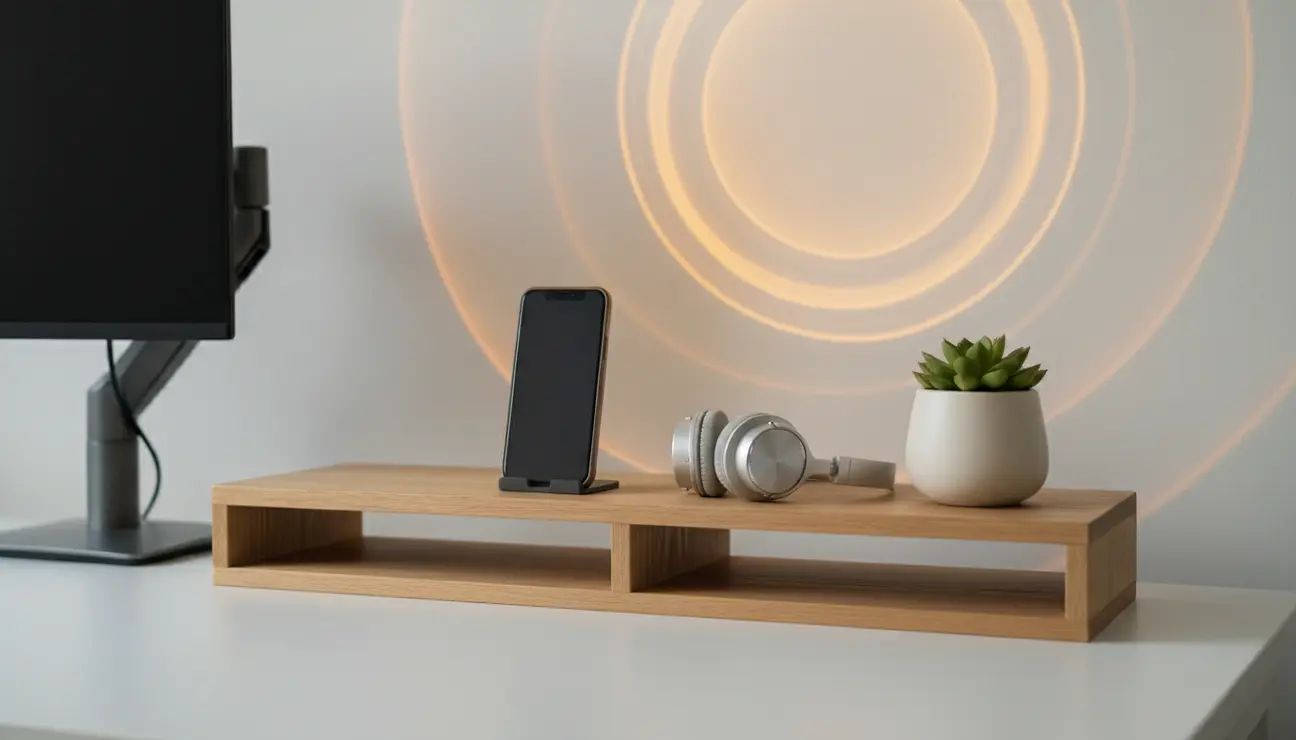
Small, essential items—a notebook, your phone, a pair of headphones—often have no designated “home.” They create islands of clutter on your main work surface, forcing you to work around them.
A Desk Shelf Organiser creates an elevated second storey for your workspace. It provides a dedicated, organised home for your most-used peripherals, keeping your primary keyboard-and-mouse zone completely clear and ready for the task at hand.
- Pros: Defines clear zones for different items, creates vertical storage space.
- Cons: Can reduce the available vertical space for very large monitors.
> The Rule of Three: For a truly minimalist setup, limit the items on your desk shelf to the three you touch most often. Everything else belongs in a drawer.
The Standing Desk Posture Problem No One Talks About
Most standing desk guides focus on height adjustment. Almost none address the silent problem: monitor position drift. When you switch between sitting and standing, your monitor height stays fixed — which means you’re either craning your neck up when standing or hunching down when sitting. A monitor arm solves this immediately and completely. It’s the single upgrade that affects every hour you spend at the desk.
The Setup Order That Maximises Impact
| Stage | What to Buy | Why First |
|---|---|---|
| Week 1 | Under-desk cable tray | Removes floor clutter — biggest visual impact immediately |
| Week 2 | Monitor arm | Fixes neck strain — affects every hour at the desk |
| Week 3 | Anti-fatigue mat (felt) | Protects feet during standing — looks better than foam |
| Week 4 | Screen top shelf | Organises surface — last because foundation must come first |
Don’t buy all four essentials at once. This sequence gives you the most improvement per euro at each stage:
Stage 1 — Eliminate floor clutter (Week 1)
The Under Desk Cable Management Tray goes first. It lifts your power strip, surge protector, and cable bundle entirely off the floor. This single change removes the visual chaos that makes a standing desk feel like a building site.
Stage 2 — Fix your neck (Week 2)
The monitor arm. Without it, your screen position is fixed while your desk height changes — guaranteeing neck strain at one position or the other. A quality arm lets you set screen height independently for sitting and standing profiles.
Stage 3 — Protect your feet (Week 3)
The Premium Felt Desk Mat doubles as both anti-fatigue surface and desk protector. Unlike foam mats, felt handles moderate standing durations without bottoming out — and looks significantly better.
Stage 4 — Organise the surface (Week 4)
Once cables are hidden and posture is fixed, surface organisation matters. The Adjustable Screen Top Shelf creates a second tier of workspace — perfect for a plant, speaker, or secondary display without extending the desk footprint.
What Not to Buy?
Skip motorised desk converters (they add instability), monitor arms that max out at 8kg if you have a 27″+ display, and foam anti-fatigue mats below 20mm thickness — they compress flat within weeks.
> **The One-Month Rule:** Add one essential per week. This gives
> your body time to adapt to each ergonomic change. Adding all four
> at once makes it impossible to know what's working.
Your First Step to a Calmer Workspace
Of all the standing desk essentials we’ve covered, if you can only make one change this week, start with the Under-Desk Cable Organiser. It offers the highest return on investment for mental clarity by eliminating the single most chaotic element of any desk setup. Tame the cables first; everything else will fall into place.
Frequently Asked Questions (FAQ)
1. What is the most important standing desk accessory for productivity?
Cable management. It directly reduces the cognitive load caused by visual clutter, freeing up mental resources that are better spent on complex tasks.
2. How do I make my standing desk look more minimalist?
Use a single monitor arm to make the screen “float,” hide every single cable from view using a tray and sleeves, and stick to a monochrome colour scheme for all accessories.
3. Are balance boards worth it for a standing desk?
For a pure minimalist, they often add visual clutter and a layer of distraction. A simple, high-quality anti-fatigue mat provides over 80% of the ergonomic benefit for active working without compromising a clean aesthetic.
Build Your Foundation of Focus
A focused mind begins with a streamlined environment. Explore our curated collection of desk essentials designed to eliminate distraction and amplify your productivity.
